_811205.png)
_e196d8.png)
_32b3d9.png)
_1c53fe.png)

Satechi and MacRumors have partnered up this week to offer our readers an exclusive 30 percent discount on select products for a limited time. This sale is available only on Satechi's website, and it will run through December 15.
 Note: MacRumors is an affiliate partner with Satechi. When you click a link and make a purchase, we may receive a small payment, which helps us keep the site running.
To get the discount, add anything from the lists below to your cart and head to checkout. Once at checkout, you can enter the code MRHOLIDAY to get 30 percent off your order for this week only. This discount code takes 30 percent off each item in your cart, so you can purchase multiple accessories at once.
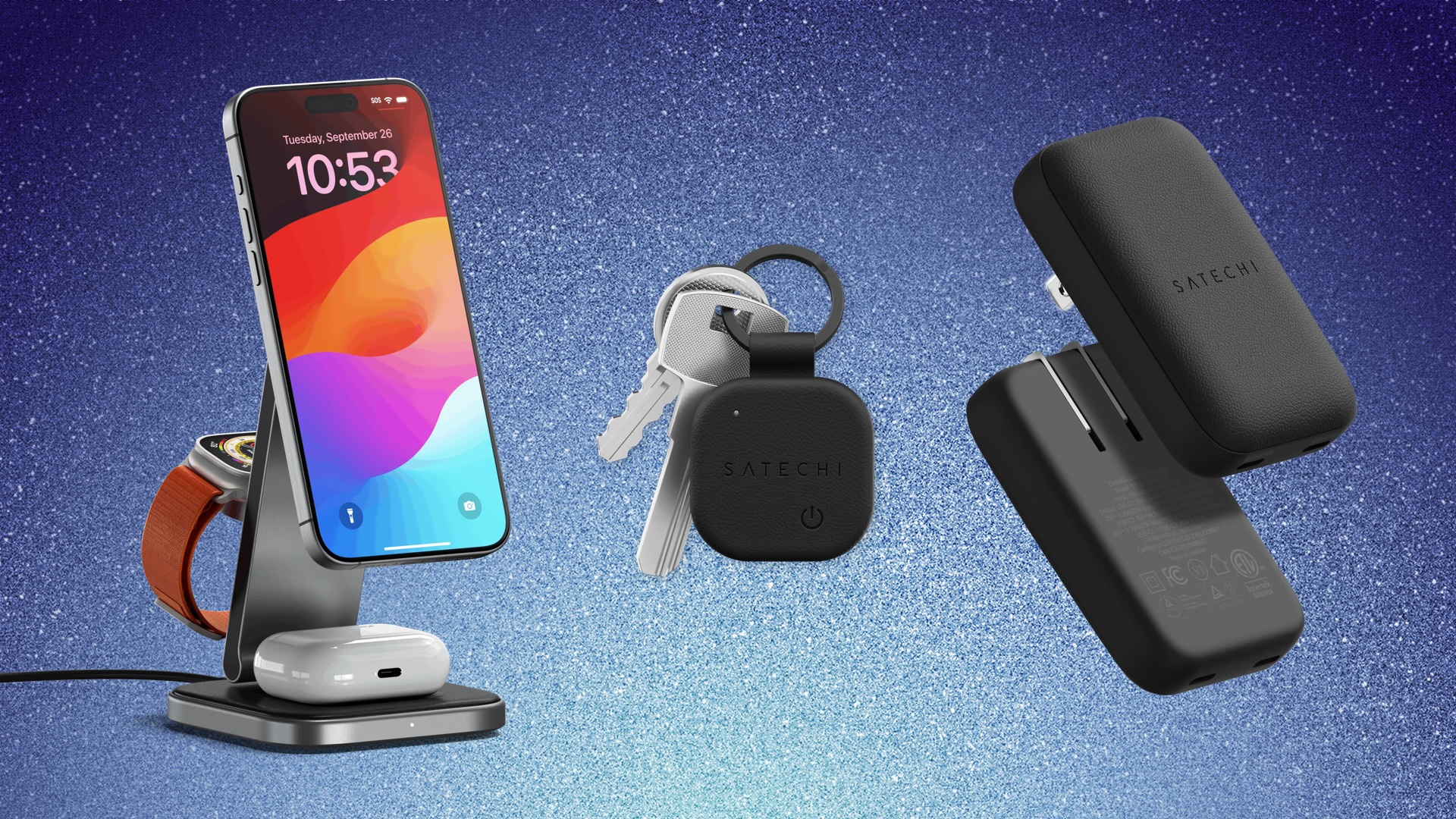
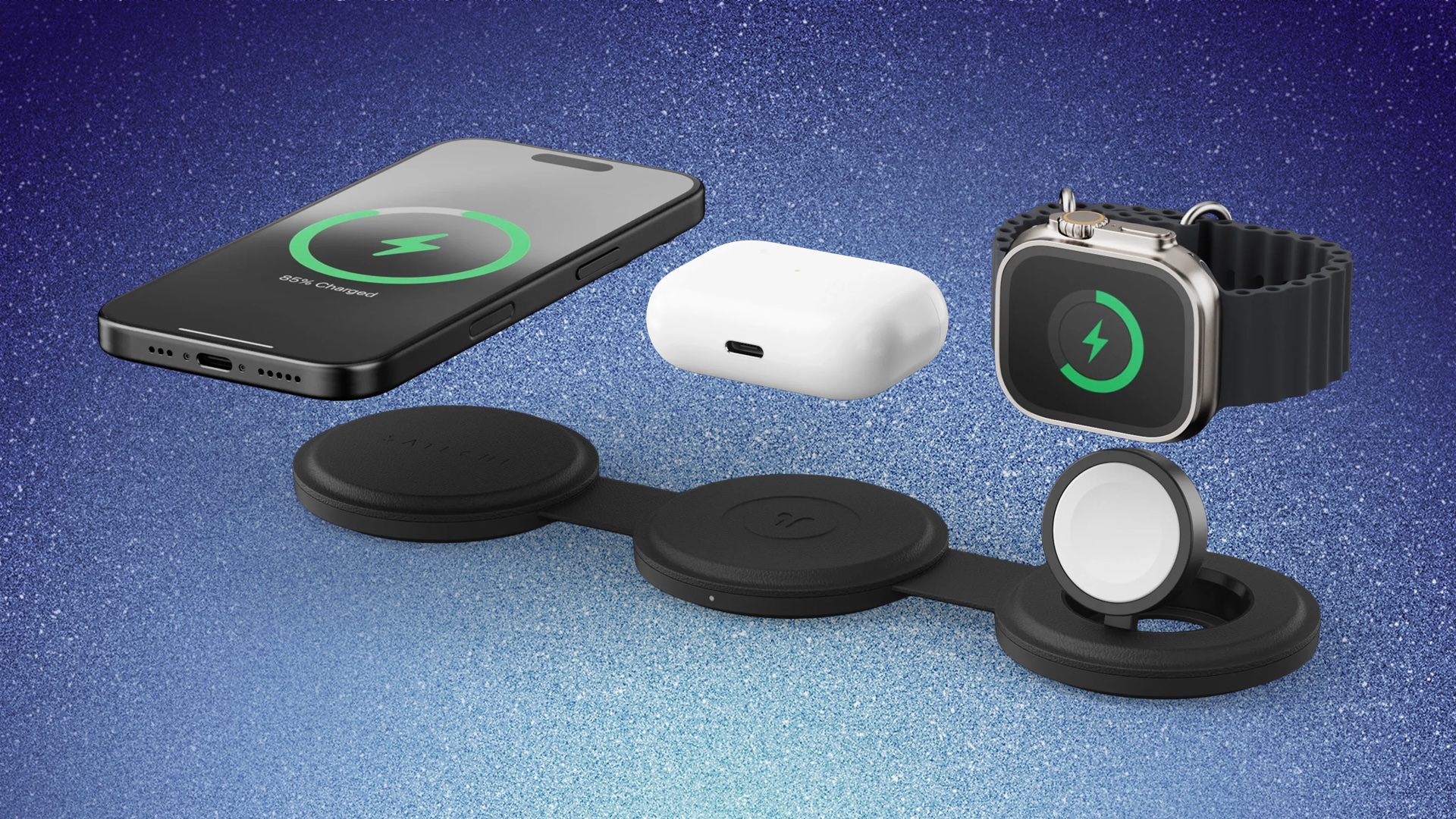
Products in this sale include Satechi's newest Qi2 charging stations and travel chargers, including the 3-in-1 Foldable Charging Station for $91.00, down from $129.99. You can also get both of Satechi's On The Go chargers on sale for 30 percent off with our exclusive code, priced at $56.00 for the 2-in-1 model and $70.00 for the 3-in-1 model.
It's also worth noting that some products are under a "last chance" discount, leftover from Satechi's Cyber Week sale, and our exclusive code stacks with these markdowns. This means you can get ultra-steep discounts on Satechi's 2-in-1 Headphone Stand and Wireless Charger ($39.20, $40 off) and Thunderbolt 4 Dock ($147.00, $152 off).
The code also covers 30 percent off Satechi's range of FindAll Bluetooth trackers, including the FindAll Keychain, FindAll Card, FindAll Luggage Tag, FindAll Glasses Case, and FindAll Passport Cover. We've listed every product that works with our exclusive MRHOLIDAY discount code below, so be sure to shop the sale before it ends on December 15.
165W USB-C 4-Port GaN Charger - $84.00, down from $119.99
On The Go 2-in-1 Charger - $56.00, down from $79.99
On The Go 3-in-1 Charger - $70.00, down from $99.99
3-in-1 Foldable Qi2 Charging Stand - $91.00, down from $129.99
FindAll Card - $24.50, down from $34.99
FindAll Luggage Tag - $31.50, down from $44.99
FindAll Glasses Case - $35.00, down from $49.99
FindAll Passport Cover - $42.00, down from $59.99
7-in-1 Slim USB-C Multiport Adapter - $56.00, down from $79.99
Thunderbolt 4 Slim Hub Pro - $140.00, down from $199.99
Thunderbolt 4 Dock - $147.00, down from $209.99
Thunderbolt 4 Multimedia Pro Dock - $245.00, down from $349.99
On The Go Bluetooth Mouse - $21.00, down from $29.99
Thunderbolt 4 Pro Cable - $28.00, down from $39.99
If you're on the hunt for more discounts, be sure to visit our Apple Deals roundup where we recap the best Apple-related bargains of the past week.
Interested in hearing more about the best deals you can find as we head into the holidays? Sign up for our Deals Newsletter and we'll keep you updated so you don't miss the biggest deals of the season!
This article, "MacRumors Readers Can Get 30% Off Satechi's Best Qi2 Chargers, Bluetooth Trackers, and More" first appeared on MacRumors.com
Discuss this article in our forums
Note: MacRumors is an affiliate partner with Satechi. When you click a link and make a purchase, we may receive a small payment, which helps us keep the site running.
To get the discount, add anything from the lists below to your cart and head to checkout. Once at checkout, you can enter the code MRHOLIDAY to get 30 percent off your order for this week only. This discount code takes 30 percent off each item in your cart, so you can purchase multiple accessories at once.
Note: Use code MRHOLIDAY at checkout to see the discount.
Products in this sale include Satechi's newest Qi2 charging stations and travel chargers, including the 3-in-1 Foldable Charging Station for $91.00, down from $129.99. You can also get both of Satechi's On The Go chargers on sale for 30 percent off with our exclusive code, priced at $56.00 for the 2-in-1 model and $70.00 for the 3-in-1 model.
It's also worth noting that some products are under a "last chance" discount, leftover from Satechi's Cyber Week sale, and our exclusive code stacks with these markdowns. This means you can get ultra-steep discounts on Satechi's 2-in-1 Headphone Stand and Wireless Charger ($39.20, $40 off) and Thunderbolt 4 Dock ($147.00, $152 off).
The code also covers 30 percent off Satechi's range of FindAll Bluetooth trackers, including the FindAll Keychain, FindAll Card, FindAll Luggage Tag, FindAll Glasses Case, and FindAll Passport Cover. We've listed every product that works with our exclusive MRHOLIDAY discount code below, so be sure to shop the sale before it ends on December 15.
Wall Chargers
- 67W On The Go Slim Wall Charger - $42.00, down from $59.99
165W USB-C 4-Port GaN Charger - $84.00, down from $119.99
Wireless Chargers
- 2-in-1 Headphone Stand and Wireless Charger - $39.20, down from $55.99
- 2-in-1 Foldable Qi2 Charging Stand - $56.00, down from $79.99
On The Go 2-in-1 Charger - $56.00, down from $79.99
On The Go 3-in-1 Charger - $70.00, down from $99.99
3-in-1 Foldable Qi2 Charging Stand - $91.00, down from $129.99
Bluetooth Trackers
- FindAll Keychain - $21.00, down from $29.99
FindAll Card - $24.50, down from $34.99
FindAll Luggage Tag - $31.50, down from $44.99
FindAll Glasses Case - $35.00, down from $49.99
FindAll Passport Cover - $42.00, down from $59.99
Docks and Hubs
- Pro Hub Slim - $56.00, down from $79.99
7-in-1 Slim USB-C Multiport Adapter - $56.00, down from $79.99
Thunderbolt 4 Slim Hub Pro - $140.00, down from $199.99
Thunderbolt 4 Dock - $147.00, down from $209.99
Thunderbolt 4 Multimedia Pro Dock - $245.00, down from $349.99
Miscellaneous
- On The Go Bluetooth Keyboard - $56.00, down from 479.99
On The Go Bluetooth Mouse - $21.00, down from $29.99
Thunderbolt 4 Pro Cable - $28.00, down from $39.99
If you're on the hunt for more discounts, be sure to visit our Apple Deals roundup where we recap the best Apple-related bargains of the past week.
Deals Newsletter
Interested in hearing more about the best deals you can find as we head into the holidays? Sign up for our Deals Newsletter and we'll keep you updated so you don't miss the biggest deals of the season!
Related Roundup: Apple Deals
This article, "MacRumors Readers Can Get 30% Off Satechi's Best Qi2 Chargers, Bluetooth Trackers, and More" first appeared on MacRumors.com
Discuss this article in our forums
Recommended Comments
Join the conversation
You can post now and register later. If you have an account, sign in now to post with your account.