_811205.png)
_e196d8.png)
_32b3d9.png)
_1c53fe.png)

OpenAI has rolled out Computer Use for its Codex desktop app on macOS, and its latest trick is that your Mac doesn't even have to be unlocked for the coding agent to use your apps while you're away.
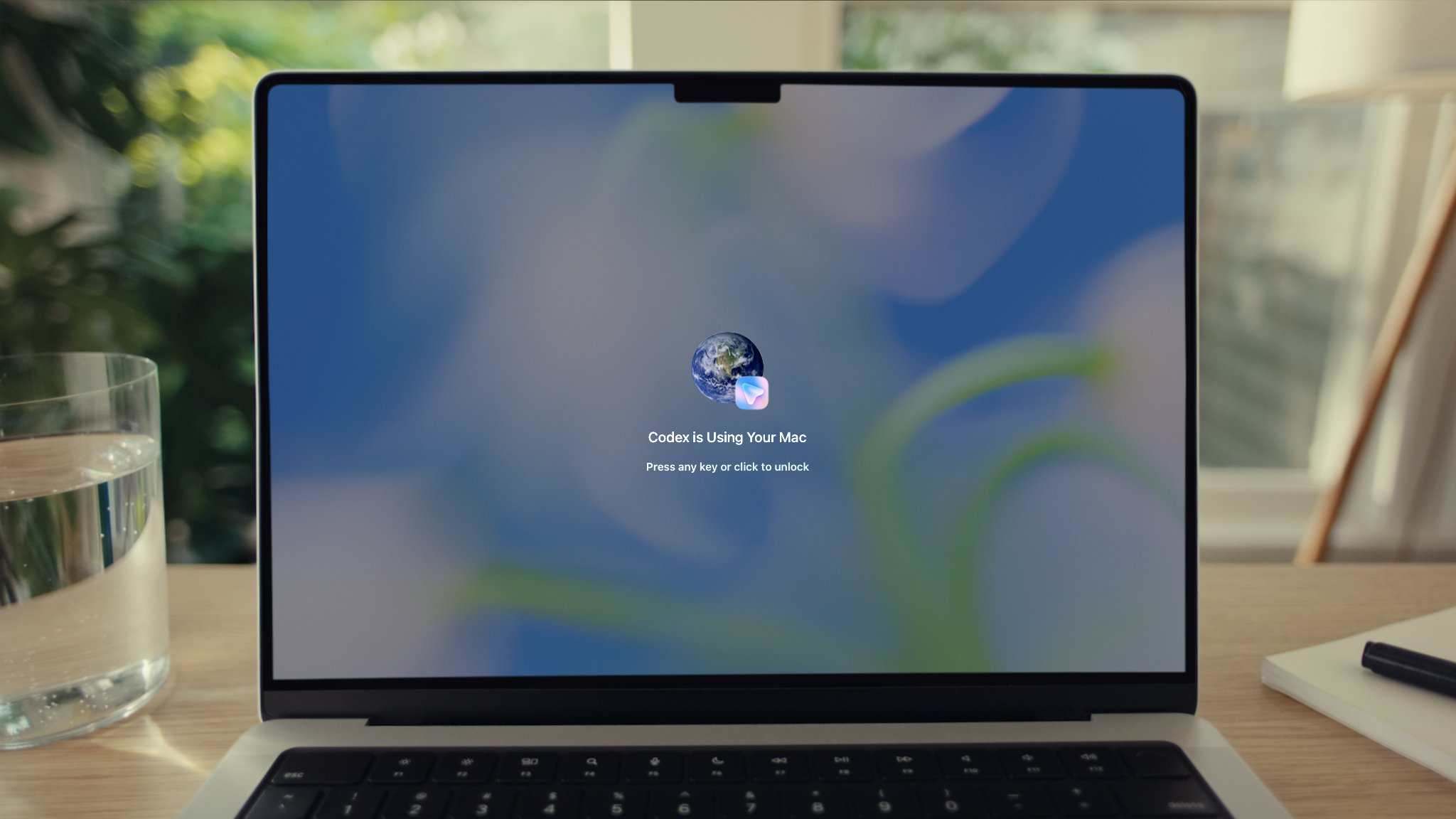
In a post on X, OpenAI Developers said users can now send Codex tasks from their phone and have it operate apps on their Mac "even when the screen is off and locked." A picture attached to the post shows a locked Mac displaying a "Codex is Using Your Mac" overlay with a prompt to press any key or click to unlock.
For the feature to work, the Computer Use plugin needs to be installed and granted Screen Recording and Accessibility permissions. After that, Codex can click through windows, type, navigate menus, and interact with the clipboard in apps that you explicitly allow.
OpenAI says the feature is useful for the types of things command-line tools can't easily reach, such as reproducing a GUI-only bug, changing app settings, or running a flow in a desktop app Codex is helping to build.
Codex asks for permission before operating each new app, and for those brave enough you can mark specific apps as "Always allow." OpenAI says the feature is unavailable in the European Economic Area, the UK, and Switzerland at launch, and it can't automate Terminal apps, Codex itself, or system-level admin prompts.
The update follows some other recent Codex additions, including a new "Appshots" feature that pulls a screenshot and text from a Mac app window into a Codex thread with a Command-Command shortcut, plus a new /goal mode that makes an agent keep working toward a milestone across hours or days.
This article, "OpenAI's Codex Can Now Use Your Mac Even When It's Locked" first appeared on MacRumors.com
Discuss this article in our forums
In a post on X, OpenAI Developers said users can now send Codex tasks from their phone and have it operate apps on their Mac "even when the screen is off and locked." A picture attached to the post shows a locked Mac displaying a "Codex is Using Your Mac" overlay with a prompt to press any key or click to unlock.
For the feature to work, the Computer Use plugin needs to be installed and granted Screen Recording and Accessibility permissions. After that, Codex can click through windows, type, navigate menus, and interact with the clipboard in apps that you explicitly allow.
OpenAI says the feature is useful for the types of things command-line tools can't easily reach, such as reproducing a GUI-only bug, changing app settings, or running a flow in a desktop app Codex is helping to build.
Codex asks for permission before operating each new app, and for those brave enough you can mark specific apps as "Always allow." OpenAI says the feature is unavailable in the European Economic Area, the UK, and Switzerland at launch, and it can't automate Terminal apps, Codex itself, or system-level admin prompts.
Codex anywhere and everywhere, all the time.
— OpenAI Developers (@OpenAIDevs) May 21, 2026
Now your Mac doesn't have to be unlocked for Codex to use your computer.
From your phone, Codex can securely use apps on your Mac, even when the screen is off and locked.https://t.co/PCGK4i7FSF pic.twitter.com/956aAtM3vl
The update follows some other recent Codex additions, including a new "Appshots" feature that pulls a screenshot and text from a Mac app window into a Codex thread with a Command-Command shortcut, plus a new /goal mode that makes an agent keep working toward a milestone across hours or days.
Tag: OpenAI
This article, "OpenAI's Codex Can Now Use Your Mac Even When It's Locked" first appeared on MacRumors.com
Discuss this article in our forums
Recommended Comments
Join the conversation
You can post now and register later. If you have an account, sign in now to post with your account.