_811205.png)
_e196d8.png)
_32b3d9.png)
_1c53fe.png)

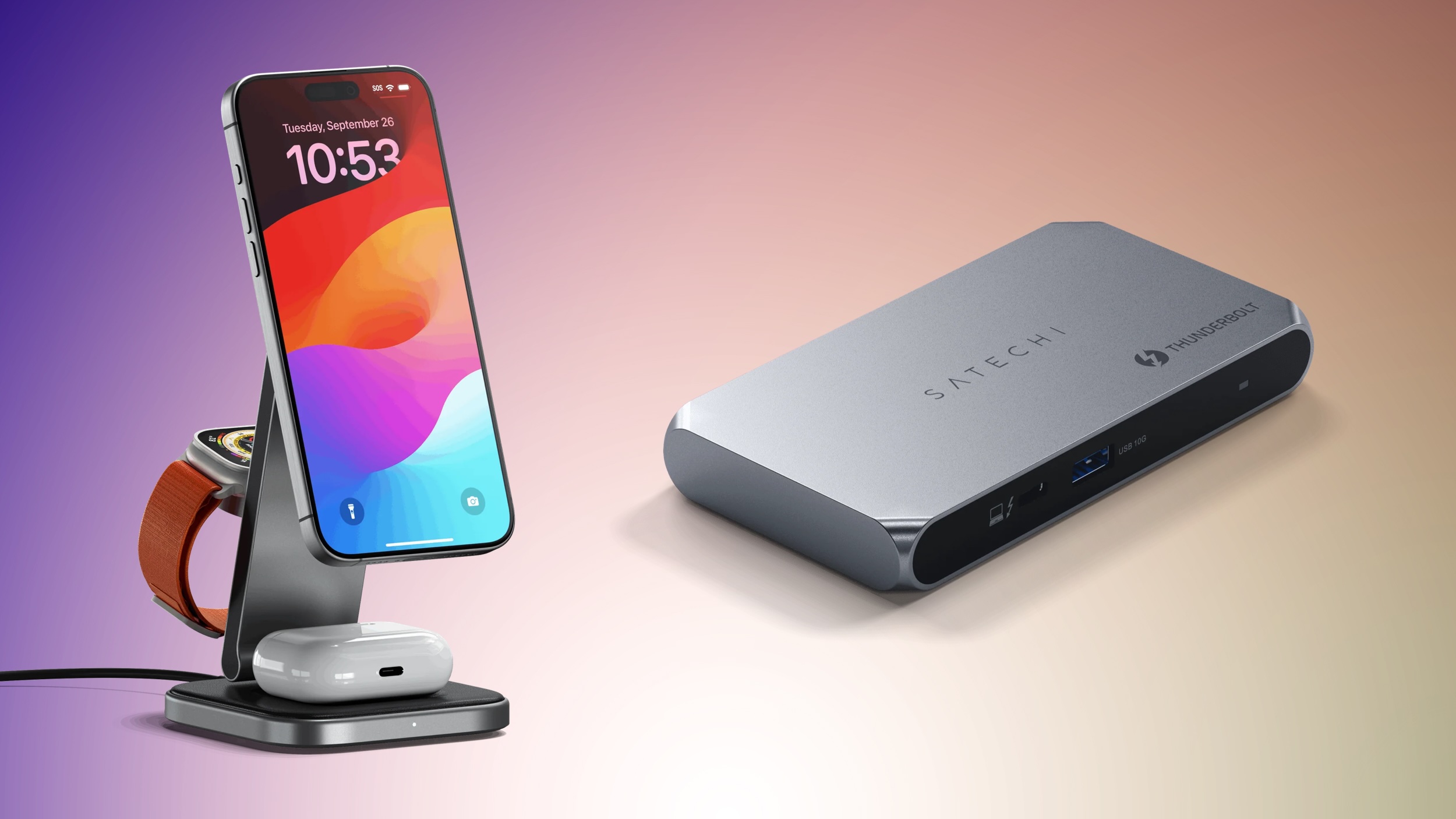
Satechi recently kicked off a new sale that has its most popular desktop accessories at 20 percent off for a limited time. To get this discount, enter the code REFRESH20 at checkout on the accessories found in Satechi's "Dark Refresh Collection."
 Note: MacRumors is an affiliate partner with Satechi. When you click a link and make a purchase, we may receive a small payment, which helps us keep the site running.
This sale includes products like Qi2 wireless chargers, Bluetooth keyboards, USB-C hubs, Thunderbolt accessories, and more. Satechi provides free shipping on orders with a value that exceeds $20, so many of the products in this sale should automatically net you the free shipping bonus.
Additionally, Satechi announced a few products at CES earlier this month, and to mark the launch it's providing a 20 percent discount on these devices for early adopters. You can use the code CES2026 at checkout to get 20 percent off all five of Satechi's newest products.
Satechi's new CES 2026 products include two wireless keyboards, a wireless mouse, Thunderbolt 5 cable, and Thunderbolt 5 CubeDock with SSD Enclosure. All items in this sale are available to purchase and ship now, with the exception of the Thunderbolt 5 CubeDock, which is up for pre-order with an estimated shipping date of late March.
Finally, Satechi is hosting a "last chance" sale this week, with up to 30 percent off accessories with a limited supply remaining. In this sale you'll find discounts on MagSafe-compatible wireless charging pads, Thunderbolt docks, and more.
Use Code REFRESH20 to see the below deals applied at checkout.
Mac Mini Stand and Hub with SSD Enclosure - $80.00, down from $99.99
Slim SM3 Mechanical Backlit Bluetooth Keyboard - $96.00, down from $119.99
3-in-1 Foldable Qi2 Wireless Charging Stand - $104.00, down from $129.99
Qi2 Trio Wireless Charging Pad - $104.00, down from $129.99
200W USB-C 6-Port GaN Hub - $120.00, down from $149.99
Thunderbolt 4 Slim Hub Pro - $160.00, down from $199.99
Use Code CES2026 to see the below deals applied at checkout.
Thunderbolt 5 Pro Cable - $32.00, down from $39.99
Slim EX1 Wireless Keyboard - $40.00, down from $49.99
Slim EX3 Wireless Keyboard - $56.00, down from $69.99
Thunderbolt 5 CubeDock - $320.00 (pre-order), down from $399.99
All deals have been applied automatically and do not require a coupon code.
USB-C Monitor Stand Hub XL - $69.99, down from $149.99
Pro Hub Max - $69.99, down from $99.99
Duo Wireless Charger Power Stand - $69.99, down from $99.99
Trio Wireless Charger with Magnetic Pad - $83.99, down from $119.99
Thunderbolt 4 Dock - $199.99, down from $299.99
Interested in hearing more about the best deals you can find in 2026? Sign up for our Deals Newsletter and we'll keep you updated so you don't miss the biggest deals of the season!
This article, "Refresh Your Workspace for 2026 With 20% Off Satechi's Best Desktop Accessories" first appeared on MacRumors.com
Discuss this article in our forums
Note: MacRumors is an affiliate partner with Satechi. When you click a link and make a purchase, we may receive a small payment, which helps us keep the site running.
This sale includes products like Qi2 wireless chargers, Bluetooth keyboards, USB-C hubs, Thunderbolt accessories, and more. Satechi provides free shipping on orders with a value that exceeds $20, so many of the products in this sale should automatically net you the free shipping bonus.
Note: Use code REFRESH20 to see this discount.
Additionally, Satechi announced a few products at CES earlier this month, and to mark the launch it's providing a 20 percent discount on these devices for early adopters. You can use the code CES2026 at checkout to get 20 percent off all five of Satechi's newest products.
Note: Use code CES2026 to see this discount.
Satechi's new CES 2026 products include two wireless keyboards, a wireless mouse, Thunderbolt 5 cable, and Thunderbolt 5 CubeDock with SSD Enclosure. All items in this sale are available to purchase and ship now, with the exception of the Thunderbolt 5 CubeDock, which is up for pre-order with an estimated shipping date of late March.
Finally, Satechi is hosting a "last chance" sale this week, with up to 30 percent off accessories with a limited supply remaining. In this sale you'll find discounts on MagSafe-compatible wireless charging pads, Thunderbolt docks, and more.
2026 Refresh Sale
Use Code REFRESH20 to see the below deals applied at checkout.
- 2-in-1 Foldable Qi2 Wireless Charging Stand - $64.00, down from $79.99
Mac Mini Stand and Hub with SSD Enclosure - $80.00, down from $99.99
Slim SM3 Mechanical Backlit Bluetooth Keyboard - $96.00, down from $119.99
3-in-1 Foldable Qi2 Wireless Charging Stand - $104.00, down from $129.99
Qi2 Trio Wireless Charging Pad - $104.00, down from $129.99
200W USB-C 6-Port GaN Hub - $120.00, down from $149.99
Thunderbolt 4 Slim Hub Pro - $160.00, down from $199.99
CES 2026 Sale
Use Code CES2026 to see the below deals applied at checkout.
- Slim EX Wireless Mouse - $24.00, down from $29.99
Thunderbolt 5 Pro Cable - $32.00, down from $39.99
Slim EX1 Wireless Keyboard - $40.00, down from $49.99
Slim EX3 Wireless Keyboard - $56.00, down from $69.99
Thunderbolt 5 CubeDock - $320.00 (pre-order), down from $399.99
Last Chance Sale
All deals have been applied automatically and do not require a coupon code.
- 2-in-1 Headphone Stand with Wireless Charger - $55.99, down from $79.99
USB-C Monitor Stand Hub XL - $69.99, down from $149.99
Pro Hub Max - $69.99, down from $99.99
Duo Wireless Charger Power Stand - $69.99, down from $99.99
Trio Wireless Charger with Magnetic Pad - $83.99, down from $119.99
Thunderbolt 4 Dock - $199.99, down from $299.99
Deals Newsletter
Interested in hearing more about the best deals you can find in 2026? Sign up for our Deals Newsletter and we'll keep you updated so you don't miss the biggest deals of the season!
Related Roundup: Apple Deals
This article, "Refresh Your Workspace for 2026 With 20% Off Satechi's Best Desktop Accessories" first appeared on MacRumors.com
Discuss this article in our forums
Recommended Comments
Join the conversation
You can post now and register later. If you have an account, sign in now to post with your account.