_811205.png)
_e196d8.png)
_32b3d9.png)
_1c53fe.png)

Roku today announced that its home screen is receiving its biggest redesign in more than a decade. The new home screen will begin rolling out to Roku TVs and streaming devices across the U.S. starting today, with more countries to follow later. The changes will appear automatically, with no software update required.
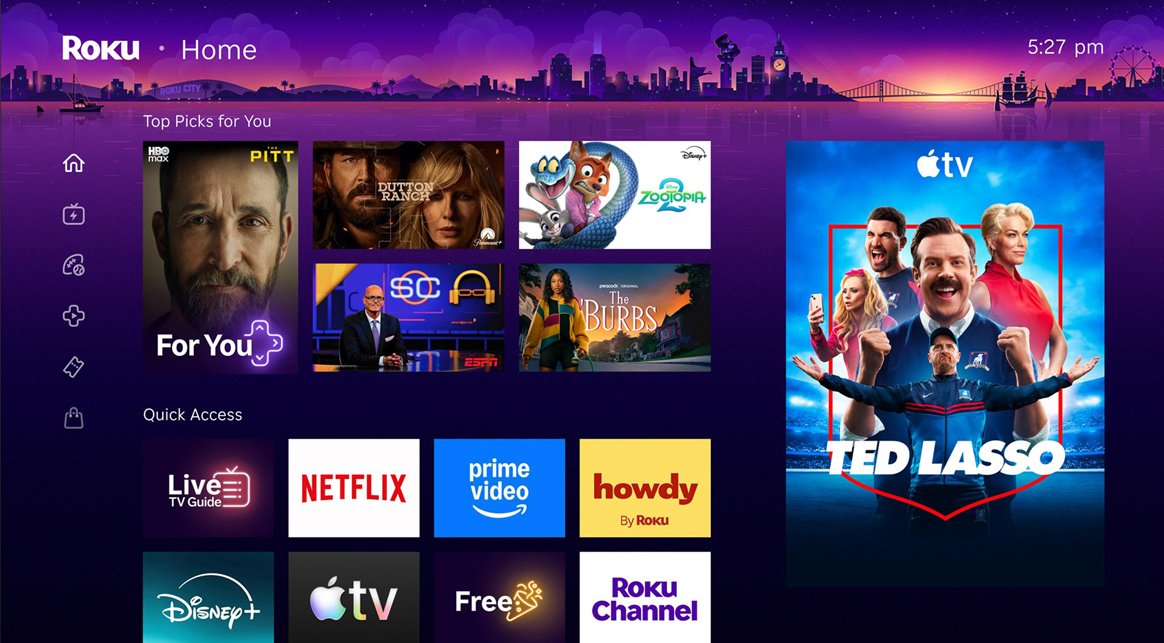
At the top of the home screen, a new "Top Picks for You" section provides recommendations based on your watch history and what is trending on Roku.
A new AI-powered "Quick Access" section surfaces the apps you use most, such as the Apple TV app. There is still a separate page containing a complete list of apps that you have installed on your Roku device if you need it.
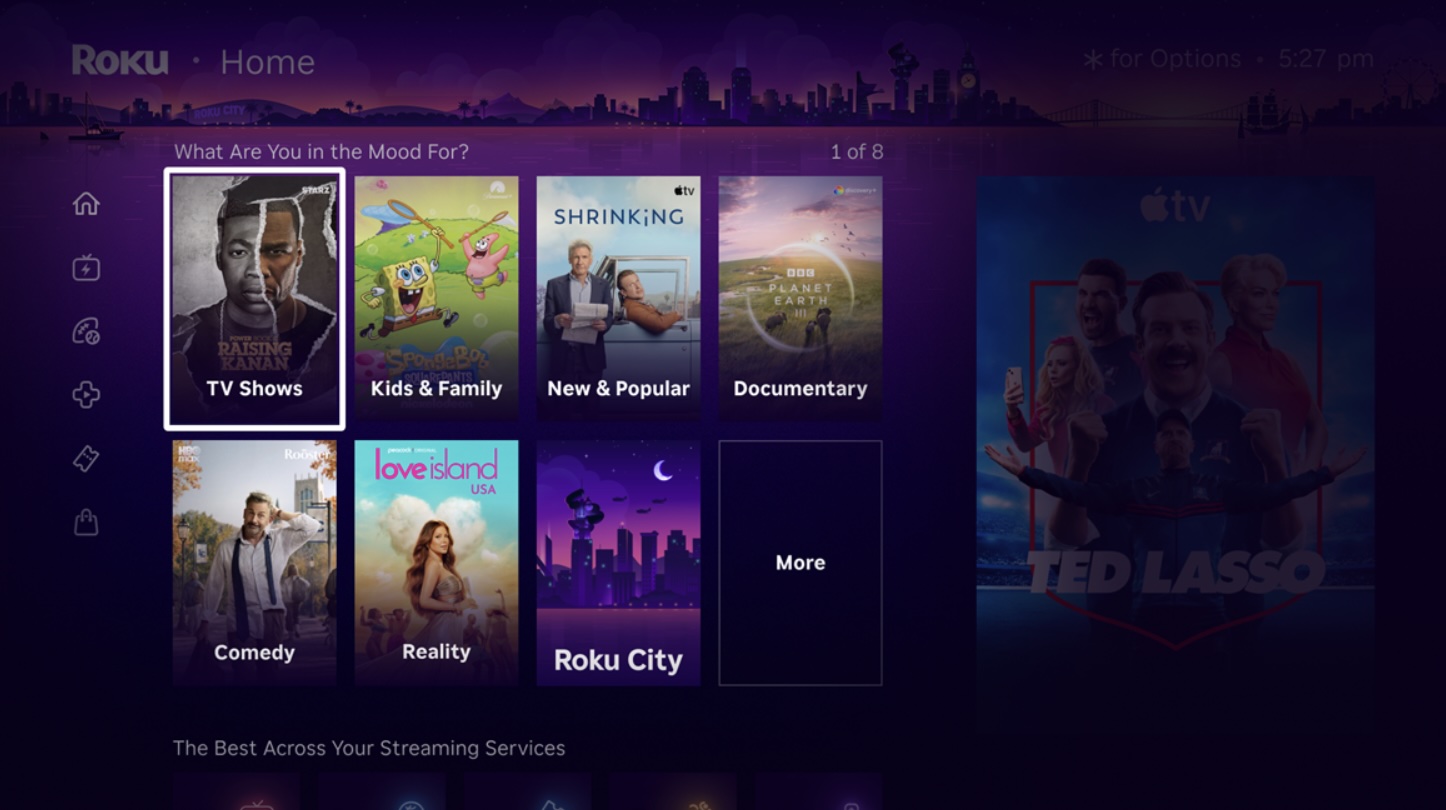
New curated hubs called "Destinations" offer content organized by genres and moods, such as comedy, reality, movies, sports, documentaries, and more.
The menu on the Roku home screen now has a collapsed design with icons, rather than expanded text labels. Roku says this change provides a cleaner canvas for discovering content, but it also results in a large ad being shown persistently on the right side of the screen. Previously, the ad would only appear in certain views.
A new "Shortcuts" section provides quick access to features like Continue Watching, Sleep Timer, Save List, and more, all in one place.
If you are a fan of the Roku City screen saver, there is now an on-screen tile that you can select to view it at any time. You can explore the screen saver's iconic cityscape, plus access Daily Trivia and other mini-games.
This article, "Roku Unveils Redesigned Home Screen" first appeared on MacRumors.com
Discuss this article in our forums
At the top of the home screen, a new "Top Picks for You" section provides recommendations based on your watch history and what is trending on Roku.
A new AI-powered "Quick Access" section surfaces the apps you use most, such as the Apple TV app. There is still a separate page containing a complete list of apps that you have installed on your Roku device if you need it.
New curated hubs called "Destinations" offer content organized by genres and moods, such as comedy, reality, movies, sports, documentaries, and more.
The menu on the Roku home screen now has a collapsed design with icons, rather than expanded text labels. Roku says this change provides a cleaner canvas for discovering content, but it also results in a large ad being shown persistently on the right side of the screen. Previously, the ad would only appear in certain views.
A new "Shortcuts" section provides quick access to features like Continue Watching, Sleep Timer, Save List, and more, all in one place.
If you are a fan of the Roku City screen saver, there is now an on-screen tile that you can select to view it at any time. You can explore the screen saver's iconic cityscape, plus access Daily Trivia and other mini-games.
Tags: Home Screen, Roku
This article, "Roku Unveils Redesigned Home Screen" first appeared on MacRumors.com
Discuss this article in our forums
Recommended Comments
Join the conversation
You can post now and register later. If you have an account, sign in now to post with your account.