_811205.png)
_e196d8.png)
_32b3d9.png)
_1c53fe.png)

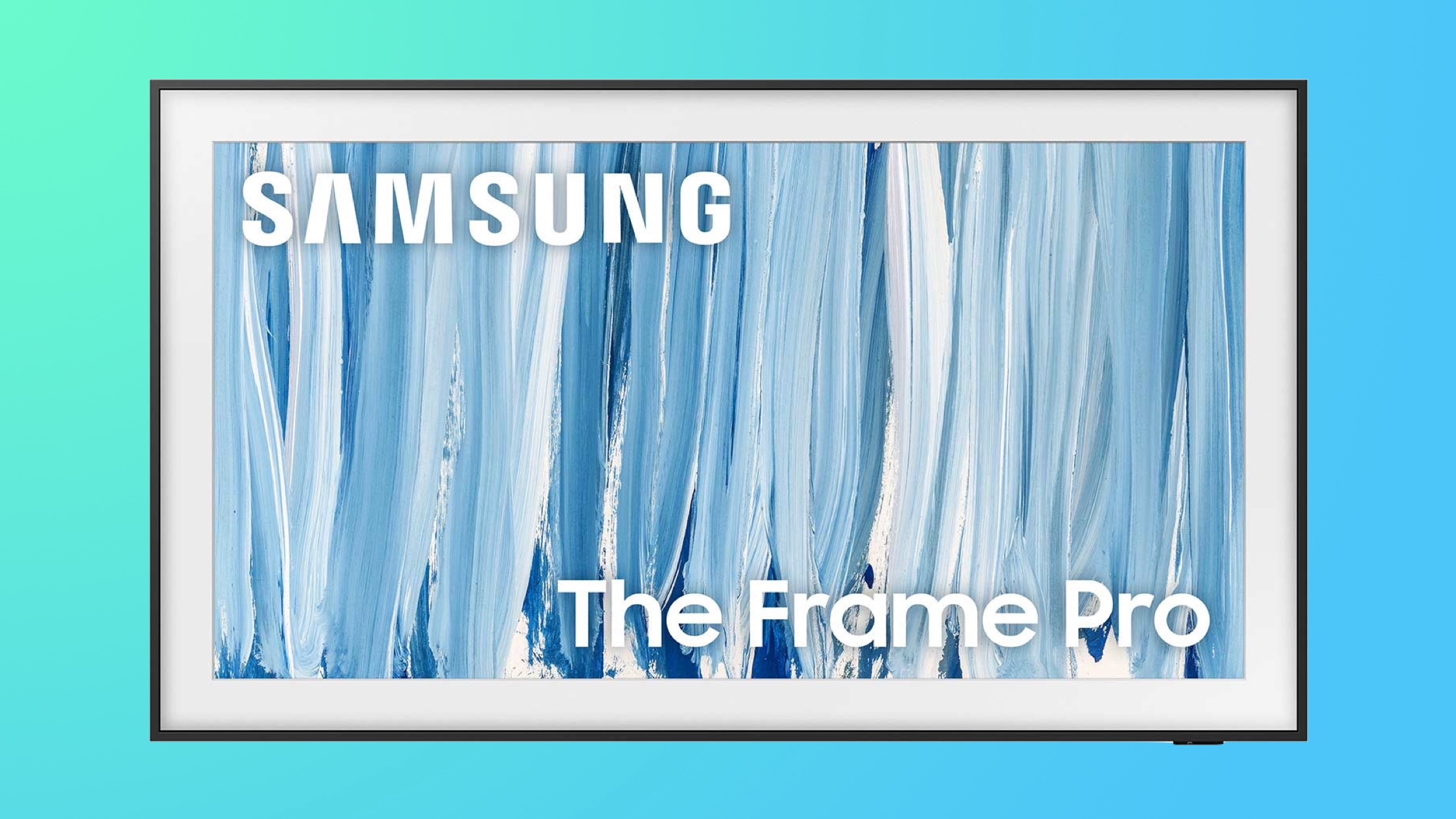
Samsung this week announced its newest lineup of The Frame TVs with the 2026 The Frame and The Frame Pro, and you can get a bundle deal of up to $850 in savings when purchasing the new models. Additionally, we're tracking a few other deals on Samsung TVs and monitors below.
 Note: MacRumors is an affiliate partner with Samsung. When you click a link and make a purchase, we may receive a small payment, which helps us keep the site running.
The new models of The Frame and The Frame Pro are upgraded with new glare-free technology to further minimize reflections and make artwork appear even more realistic. For gamers, both models feature Motion Xcelerator 144Hz for ultra-smooth motion, while new DLG 240Hz can reach even higher frame rates when connecting a compatible PC.
To mark the launch of The Frame Pro, Samsung is offering a "Picture Perfect Bundle" with over $800 in savings. It includes a white bezel, ultra-slim soundbar, professional installation, one year Art Store subscriptions, and two years of Samsung Care+ membership. You can see this bundle on The Frame Pro page on Samsung's website, and it's available in all sizes.
The Frame Pro models are available to purchase now, but the base models will launch at a later date. Below we're tracking even more TV and monitor deals on Samsung.com, including big discounts on previous-generation models of The Frame.
55-inch QLED Q7F Smart TV - $379.99, down from $529.99
55-inch QLED Q8F Smart TV - $549.99, down from $749.99
75-inch Vision AI Smart TV - $679.99, down from $1,199.99
50-inch The Frame - $899.99, down from $1,099.99
75-inch Neo QLED QN70F Smart TV - $999.99, down from $1,599.99
65-inch The Frame - $1,499.99, down from $1,799.99
55-inch OLED S95F Smart TV - $1,899.99, down from $2,299.99
75-inch The Frame Pro - $2,499.99, down from $3,199.99
85-inch The Frame Pro - $3,299.99, down from $4,299.99
85-inch Neo QLED QN90F Smart TV - $2,499.99, down from $4,499.99
Samsung has a few unique monitor deals this week, offering a free copy of Resident Evil Requiem at no cost when purchasing select monitors. This includes select monitors on this landing page, with up to $1,000 in savings on these displays. When you register these monitors after purchasing them, you'll get a download code for Resident Evil Requiem, which is a $70 value.
27-inch Odyssey OLED G60SD Monitor - $699.99, down from $899.99 (free game code)
49-inch Odyssey G91F Monitor - $749.99, down from $999.99 (free game code)
49-inch Odyssey OLED G95SD Monitor - $1,299.99, down from $2039.98 (free game code)
55-inch Odyssey Ark 2nd Gen - $2,299.99, down from $2,699.99 (free game code)
If you're on the hunt for more discounts, be sure to visit our Apple Deals roundup where we recap the best Apple-related bargains of the past week.
Interested in hearing more about the best deals you can find in 2026? Sign up for our Deals Newsletter and we'll keep you updated so you don't miss the biggest deals of the season!
This article, "Samsung Debuts 2026 The Frame Pro Models With Up to $850 in Bundle Savings" first appeared on MacRumors.com
Discuss this article in our forums
Note: MacRumors is an affiliate partner with Samsung. When you click a link and make a purchase, we may receive a small payment, which helps us keep the site running.
The new models of The Frame and The Frame Pro are upgraded with new glare-free technology to further minimize reflections and make artwork appear even more realistic. For gamers, both models feature Motion Xcelerator 144Hz for ultra-smooth motion, while new DLG 240Hz can reach even higher frame rates when connecting a compatible PC.
To mark the launch of The Frame Pro, Samsung is offering a "Picture Perfect Bundle" with over $800 in savings. It includes a white bezel, ultra-slim soundbar, professional installation, one year Art Store subscriptions, and two years of Samsung Care+ membership. You can see this bundle on The Frame Pro page on Samsung's website, and it's available in all sizes.
The Frame Pro models are available to purchase now, but the base models will launch at a later date. Below we're tracking even more TV and monitor deals on Samsung.com, including big discounts on previous-generation models of The Frame.
TVs
- 55-inch QLED QEF1 Smart TV - $379.99, down from $599.99
55-inch QLED Q7F Smart TV - $379.99, down from $529.99
55-inch QLED Q8F Smart TV - $549.99, down from $749.99
75-inch Vision AI Smart TV - $679.99, down from $1,199.99
50-inch The Frame - $899.99, down from $1,099.99
75-inch Neo QLED QN70F Smart TV - $999.99, down from $1,599.99
65-inch The Frame - $1,499.99, down from $1,799.99
55-inch OLED S95F Smart TV - $1,899.99, down from $2,299.99
75-inch The Frame Pro - $2,499.99, down from $3,199.99
85-inch The Frame Pro - $3,299.99, down from $4,299.99
85-inch Neo QLED QN90F Smart TV - $2,499.99, down from $4,499.99
Monitors
Samsung has a few unique monitor deals this week, offering a free copy of Resident Evil Requiem at no cost when purchasing select monitors. This includes select monitors on this landing page, with up to $1,000 in savings on these displays. When you register these monitors after purchasing them, you'll get a download code for Resident Evil Requiem, which is a $70 value.
- 32-inch Odyssey G70D Monitor - $599.99, down from $799.99 (free game code)
27-inch Odyssey OLED G60SD Monitor - $699.99, down from $899.99 (free game code)
49-inch Odyssey G91F Monitor - $749.99, down from $999.99 (free game code)
49-inch Odyssey OLED G95SD Monitor - $1,299.99, down from $2039.98 (free game code)
55-inch Odyssey Ark 2nd Gen - $2,299.99, down from $2,699.99 (free game code)
If you're on the hunt for more discounts, be sure to visit our Apple Deals roundup where we recap the best Apple-related bargains of the past week.
Deals Newsletter
Interested in hearing more about the best deals you can find in 2026? Sign up for our Deals Newsletter and we'll keep you updated so you don't miss the biggest deals of the season!
Related Roundup: Apple Deals
This article, "Samsung Debuts 2026 The Frame Pro Models With Up to $850 in Bundle Savings" first appeared on MacRumors.com
Discuss this article in our forums
Recommended Comments
Join the conversation
You can post now and register later. If you have an account, sign in now to post with your account.