_811205.png)
_e196d8.png)
_32b3d9.png)
_1c53fe.png)

Apple today announced that Siri AI will offer a "brand new voice experience," giving users the ability to customize how the voice assistant sounds.
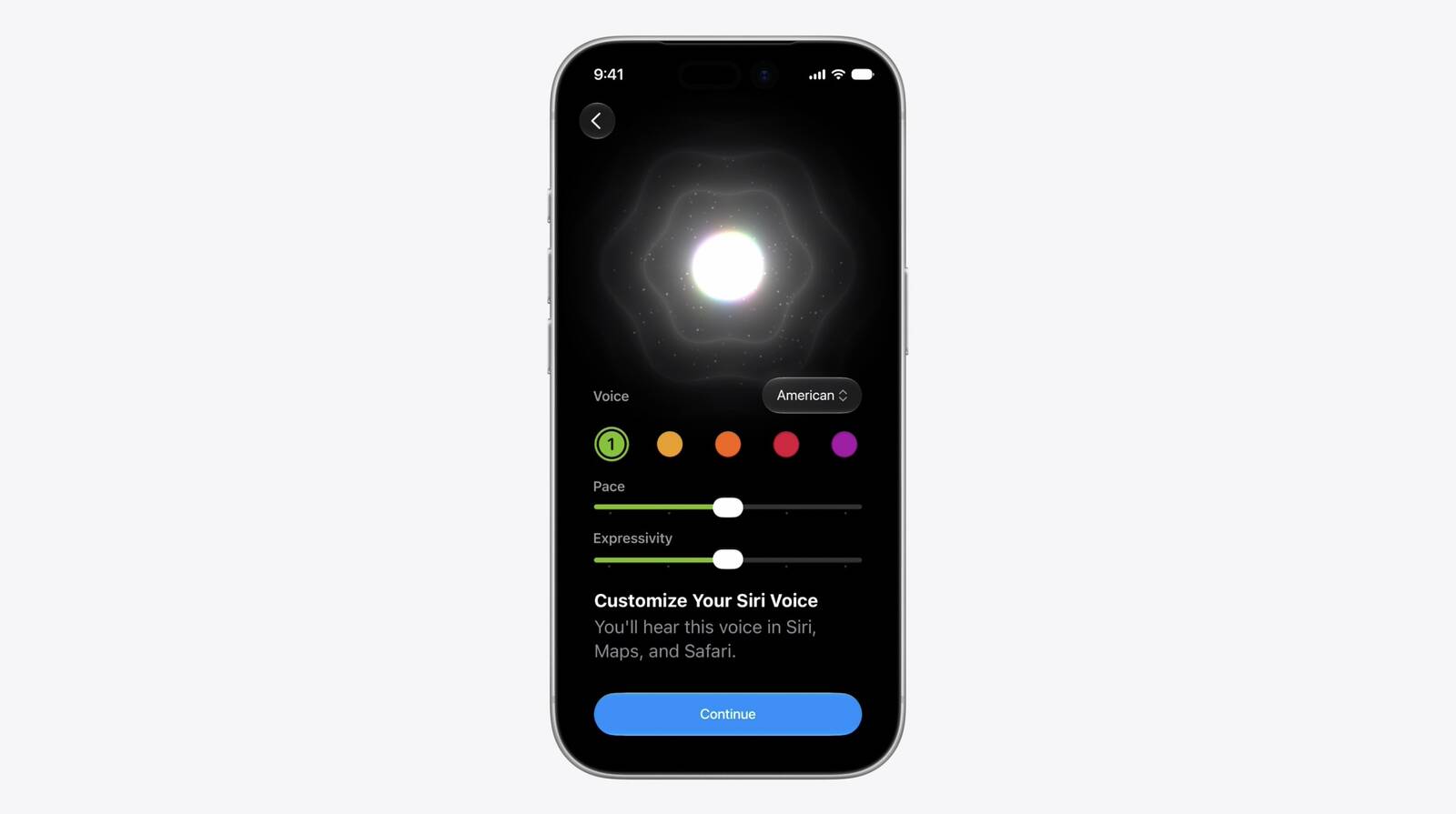
On devices that support Apple's most advanced on-device model, Siri AI will deliver more expressive voices alongside a significant improvement to systemwide dictation accuracy. Users will be able to adjust both the expressiveness and pace of Siri's voice to their preference via a new UI with sliders. As of developer beta 1, American is the sole voice option.
The updated dictation engine will capture speech as polished text, automatically handling capitalization, punctuation, and formatting in real time. Apple says improved speech understanding means users can speak naturally and trust that their words will appear accurately and as intended.
This article, "Siri AI Gains Customizable Voice Expressiveness and Pace" first appeared on MacRumors.com
Discuss this article in our forums
On devices that support Apple's most advanced on-device model, Siri AI will deliver more expressive voices alongside a significant improvement to systemwide dictation accuracy. Users will be able to adjust both the expressiveness and pace of Siri's voice to their preference via a new UI with sliders. As of developer beta 1, American is the sole voice option.
The updated dictation engine will capture speech as polished text, automatically handling capitalization, punctuation, and formatting in real time. Apple says improved speech understanding means users can speak naturally and trust that their words will appear accurately and as intended.
This article, "Siri AI Gains Customizable Voice Expressiveness and Pace" first appeared on MacRumors.com
Discuss this article in our forums
Recommended Comments
Join the conversation
You can post now and register later. If you have an account, sign in now to post with your account.