_811205.png)
_e196d8.png)
_32b3d9.png)
_1c53fe.png)

Spotify is bringing its long-running Listening Activity feature to its mobile apps, so now you can see what your friends are listening to on the streaming service when you're away from your desk.
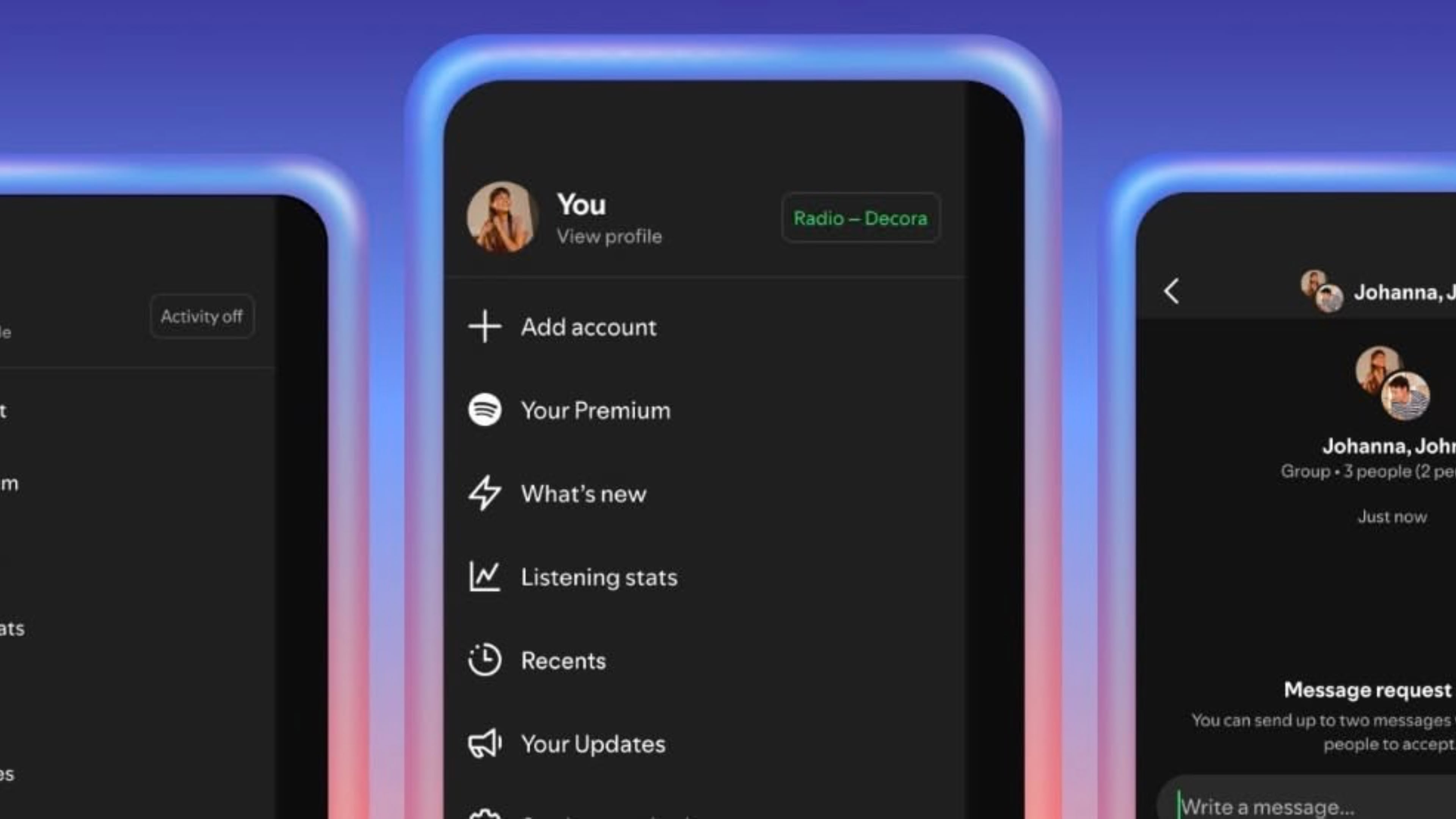
For years, Spotify's desktop app has allowed users to check on their friends' listening habits via a Friend Activity sidebar, but the ability has not been available on iOS and Android apps until now.
If you're familiar with Listening Activity, its appearance on mobile shouldn't throw up any real surprises. You can view what people are listening to in the app's sidebar, next to any messages, and you can tap the track to listen to it yourself, add it to your library, or react to it with emoji.
The feature remains opt-in, and can be enabled in the app's settings, under "Privacy and social." There's also an option here to start a private session, which temporarily hides your listening activity from your followers (private sessions automatically end after six hours), plus you can choose to make any recently played artists show on your profile.
As noted by The Verge, another addition in this update is a Request to Jam feature. If you're a premium user, you can now tap a Jam button in a chat to send a request. If the person accepts, their listening is remotely synced with your own, and the two of you can add songs to the queue while chatting about what's playing.
Spotify will also suggest songs based on your shared tastes. As for users on Spotify's free plan, they can be invited to a jam, but they can't start their own jam to invite others.
Listening Activity and Request a Jam are rolling out to Spotify users on iOS and Android now in markets where messages are available.
This article, "Spotify's Friend Listening Activity Feature Finally Comes to Mobile" first appeared on MacRumors.com
Discuss this article in our forums
For years, Spotify's desktop app has allowed users to check on their friends' listening habits via a Friend Activity sidebar, but the ability has not been available on iOS and Android apps until now.
If you're familiar with Listening Activity, its appearance on mobile shouldn't throw up any real surprises. You can view what people are listening to in the app's sidebar, next to any messages, and you can tap the track to listen to it yourself, add it to your library, or react to it with emoji.
The feature remains opt-in, and can be enabled in the app's settings, under "Privacy and social." There's also an option here to start a private session, which temporarily hides your listening activity from your followers (private sessions automatically end after six hours), plus you can choose to make any recently played artists show on your profile.
As noted by The Verge, another addition in this update is a Request to Jam feature. If you're a premium user, you can now tap a Jam button in a chat to send a request. If the person accepts, their listening is remotely synced with your own, and the two of you can add songs to the queue while chatting about what's playing.
Spotify will also suggest songs based on your shared tastes. As for users on Spotify's free plan, they can be invited to a jam, but they can't start their own jam to invite others.
Listening Activity and Request a Jam are rolling out to Spotify users on iOS and Android now in markets where messages are available.
Tag: Spotify
This article, "Spotify's Friend Listening Activity Feature Finally Comes to Mobile" first appeared on MacRumors.com
Discuss this article in our forums
Recommended Comments
Join the conversation
You can post now and register later. If you have an account, sign in now to post with your account.