_811205.png)
_e196d8.png)
_32b3d9.png)
_1c53fe.png)

The United States Mint today began selling a new $1 American Innovation Coin featuring Steve Jobs, purchasable from the U.S. Mint website.
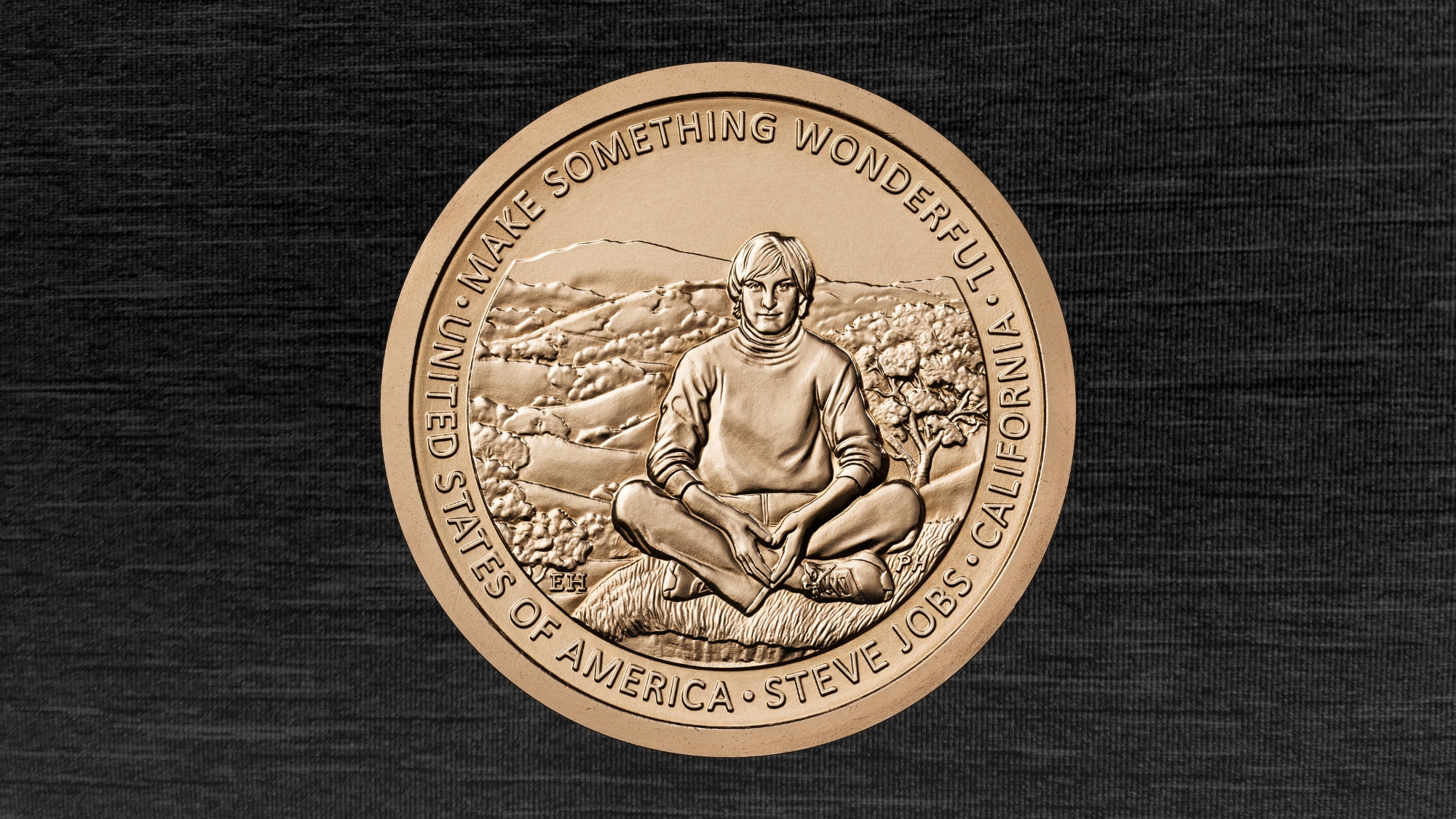
The $1 Steve Jobs Coin features a young Steve Jobs in a turtleneck, jeans, and sneakers, sitting in front of the Northern California landscape. Jobs is said to be "captured in a moment of reflection," in which "his posture and expression reflect how this environment inspired his vision to transform complex technology into something as intuitive and organic as nature itself."
According to the Steve Jobs Archive, which championed the design with support from California governor Gavin Newsom, Jobs "felt a deep sense of connection to and gratitude for California's natural beauty."
The American Innovation $1 Coin Program was launched by the U.S. Mint in 2018, honoring groundbreaking innovations and innovators from every U.S. state, territory, and the District of Columbia.
This article, "Steve Jobs U.S. Commemorative $1 Coin Goes on Sale" first appeared on MacRumors.com
Discuss this article in our forums
The $1 Steve Jobs Coin features a young Steve Jobs in a turtleneck, jeans, and sneakers, sitting in front of the Northern California landscape. Jobs is said to be "captured in a moment of reflection," in which "his posture and expression reflect how this environment inspired his vision to transform complex technology into something as intuitive and organic as nature itself."
According to the Steve Jobs Archive, which championed the design with support from California governor Gavin Newsom, Jobs "felt a deep sense of connection to and gratitude for California's natural beauty."
"The innovative and entrepreneurial spirit of Steve Jobs embodied the best of California, creating the future we all know today," said Newsom in a press release announcing the coin's circulation. "His tenacity and fearless pursuit of the California Dream made so many American dreams possible. May we all attempt to fill his shoes as we seek our own California Dreams."The collectible coins are available as a roll of 25 for $61, or $2.44 each. A bag of 100 coins costs $154.50.
The American Innovation $1 Coin Program was launched by the U.S. Mint in 2018, honoring groundbreaking innovations and innovators from every U.S. state, territory, and the District of Columbia.
Tags: California, Steve Jobs
This article, "Steve Jobs U.S. Commemorative $1 Coin Goes on Sale" first appeared on MacRumors.com
Discuss this article in our forums
Recommended Comments
Join the conversation
You can post now and register later. If you have an account, sign in now to post with your account.