_811205.png)
_e196d8.png)
_32b3d9.png)
_1c53fe.png)

Accessory maker Ugreen has expanded its Nexode and MagFlow Air lineup of chargers with a set of compact units aimed squarely at Apple users.
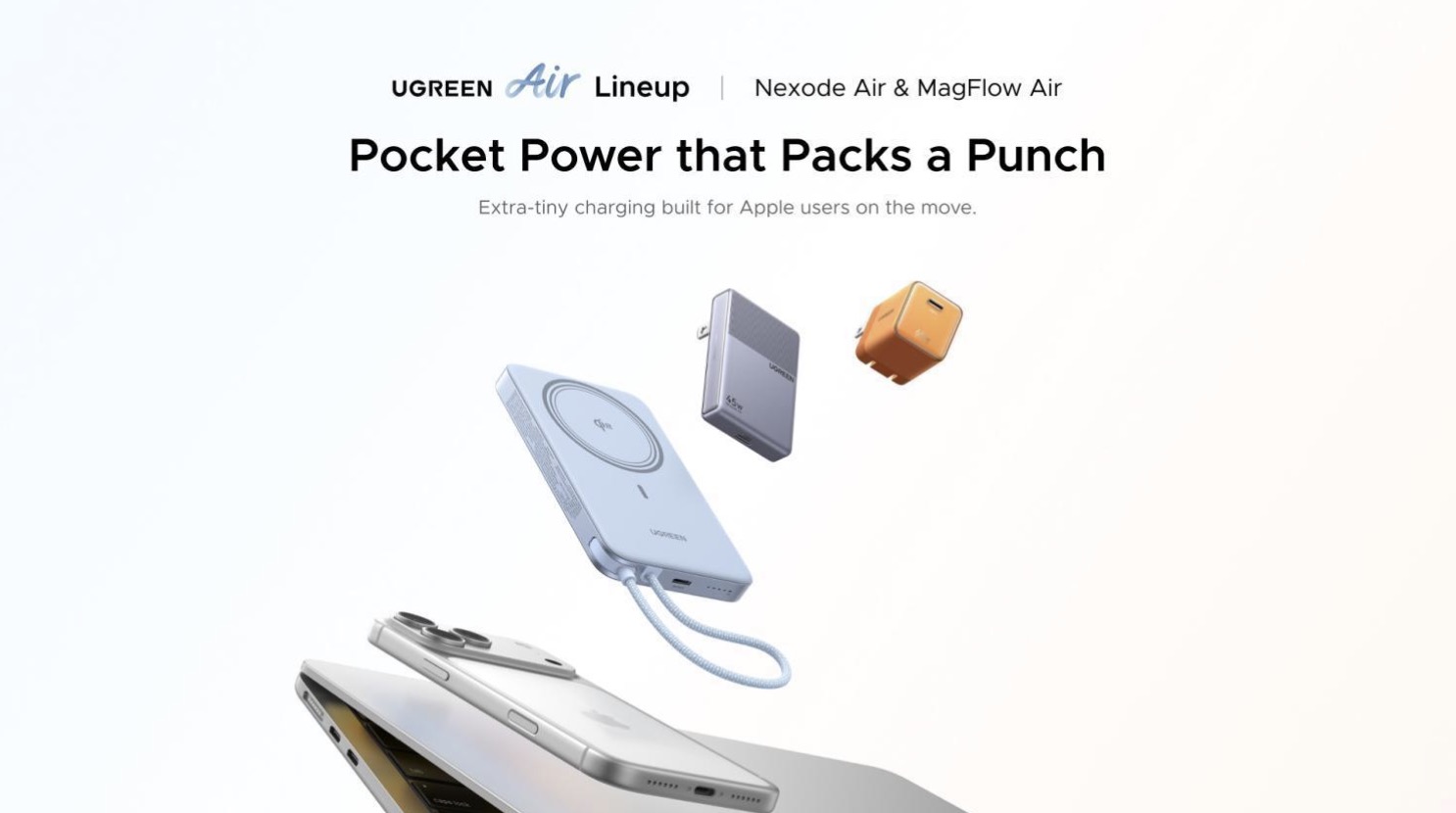
First up is the Nexode Air 65W charger, which Ugreen is pitching as a travel-friendly option for MacBook Air owners, but it should work just as well for iPhones, iPads, and other USB-C devices. (Its Cosmic Orange-style finish twins particularly well with the iPhone 17 Pro.) Ugreen describes the unit as pocket-sized while still delivering up to 65W of fast charging, and it features the company's Ugreen's Thermal Guard temperature control for safety.
For users who want a thinner option, Ugreen is also touting its Nexode Air 45W Charger Slim, plus there's a new MagFlow Air Magnetic Power Bank 10000mAh – a Qi2-certified 15W magnetic battery with a built-in USB-C cable, a second USB-C port, and ATL battery cells inside.
The company's broader existing Air lineup includes a thicker Nexode Air 65W Charger Slim and a less bulky 5000mAh version of the MagFlow Air.
The Nexode Air 65W Charger and 45W Slim are priced at $39.99, with the 10000mAh MagFlow Air at $79.99. All the chargers are available now over on Ugreen's official site as well as Amazon.com.
Note: MacRumors is an affiliate partner with Amazon. When you click a link and make a purchase, we may receive a small payment, which helps us keep the site running.
This article, "Ugreen Debuts Pocket-Sized Chargers for Your Apple Devices" first appeared on MacRumors.com
Discuss this article in our forums
First up is the Nexode Air 65W charger, which Ugreen is pitching as a travel-friendly option for MacBook Air owners, but it should work just as well for iPhones, iPads, and other USB-C devices. (Its Cosmic Orange-style finish twins particularly well with the iPhone 17 Pro.) Ugreen describes the unit as pocket-sized while still delivering up to 65W of fast charging, and it features the company's Ugreen's Thermal Guard temperature control for safety.
For users who want a thinner option, Ugreen is also touting its Nexode Air 45W Charger Slim, plus there's a new MagFlow Air Magnetic Power Bank 10000mAh – a Qi2-certified 15W magnetic battery with a built-in USB-C cable, a second USB-C port, and ATL battery cells inside.
The company's broader existing Air lineup includes a thicker Nexode Air 65W Charger Slim and a less bulky 5000mAh version of the MagFlow Air.
The Nexode Air 65W Charger and 45W Slim are priced at $39.99, with the 10000mAh MagFlow Air at $79.99. All the chargers are available now over on Ugreen's official site as well as Amazon.com.
Note: MacRumors is an affiliate partner with Amazon. When you click a link and make a purchase, we may receive a small payment, which helps us keep the site running.
Tag: Ugreen
This article, "Ugreen Debuts Pocket-Sized Chargers for Your Apple Devices" first appeared on MacRumors.com
Discuss this article in our forums
Recommended Comments
Join the conversation
You can post now and register later. If you have an account, sign in now to post with your account.