_811205.png)
_e196d8.png)
_32b3d9.png)
_1c53fe.png)

If you have not been paying close attention, you might still think that you need to be enrolled in the Apple Developer Program for $99 per year to install iOS developer betas, but that has not been the case for a few years now. In fact, anyone can install the iOS 27 developer beta on their iPhone for free, and the process is quite easy.
Even if you are not an app developer and have no current plans to release apps on the App Store, you can still install the iOS 27 developer beta on your iPhone. If you feel more comfortable with waiting for the iOS 27 public beta, though, Apple said that the first public beta of iOS 27 will be available at some point in July.
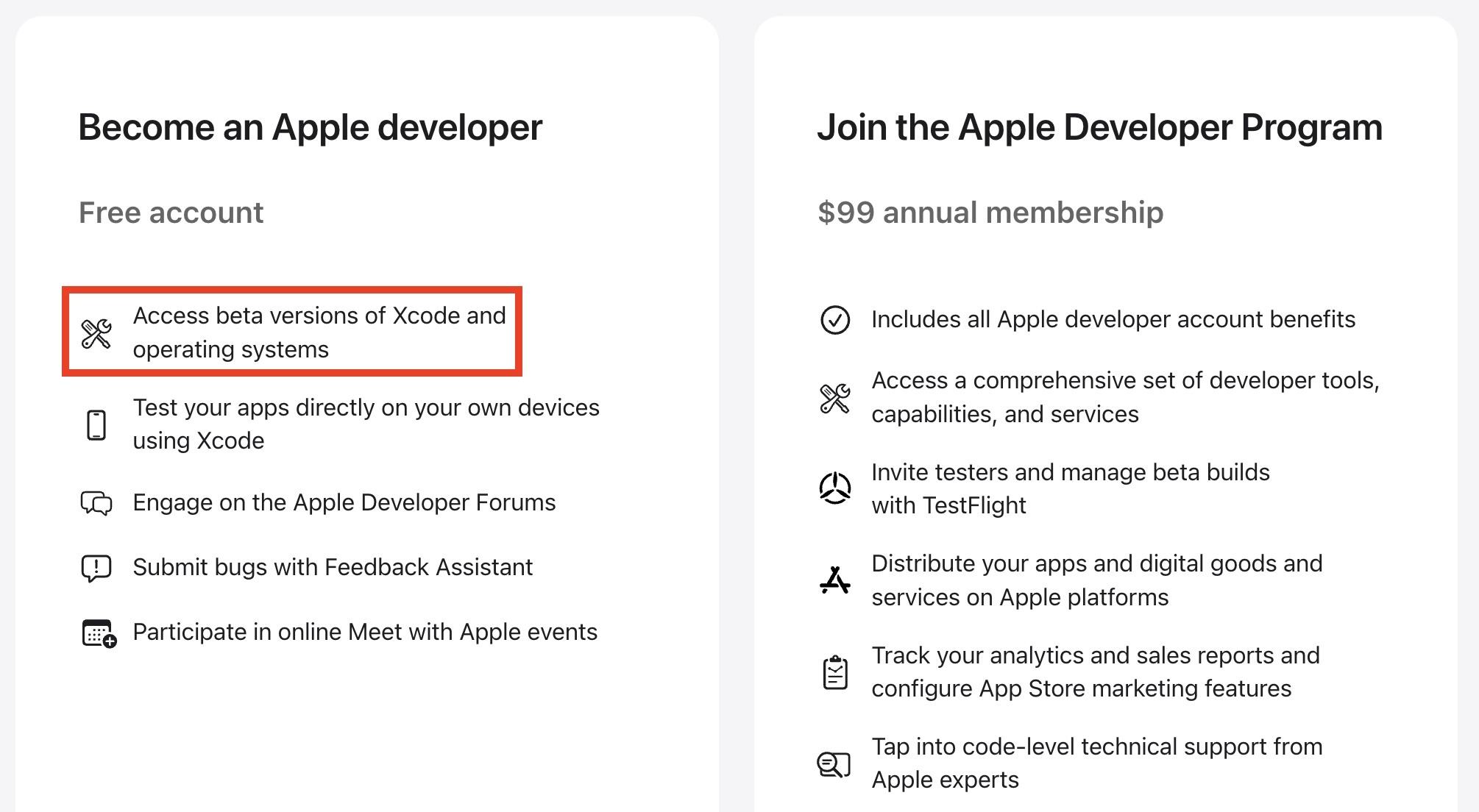
Warning: While the first iOS 27 developer beta is considered to be relatively stable, iOS betas can and do have bugs and performance issues. You may not be able to use some apps that you rely on, and issues can extend to CarPlay. Backing up your iPhone before installing beta software is highly recommended, and relying on a secondary iPhone altogether is always a good idea if possible.
Open the Settings app and tap on General → Software Update → Beta Updates.
Select the iOS 27 Developer Beta option (restart your iPhone if you don't see it) and follow the on-screen steps.
Open the Settings app and tap on General → Software Update → Beta Updates.
Select the iOS 27 Public Beta option (restart your iPhone if you don't see it) and follow the on-screen steps.iOS 27 is compatible with the iPhone 11 and newer, but Apple Intelligence features like Siri AI are limited to the iPhone 15 Pro and newer.
Keep in mind that the revamped version of Siri has a waitlist. To join the waitlist, open the Settings app on iOS 27 and tap on Siri and you will find it there. It can take anywhere from hours to many days to receive access to Siri AI and the Siri app.
This article, "You Can Easily Install the iOS 27 Beta For Free Right Now, Here's How" first appeared on MacRumors.com
Discuss this article in our forums
Even if you are not an app developer and have no current plans to release apps on the App Store, you can still install the iOS 27 developer beta on your iPhone. If you feel more comfortable with waiting for the iOS 27 public beta, though, Apple said that the first public beta of iOS 27 will be available at some point in July.
Warning: While the first iOS 27 developer beta is considered to be relatively stable, iOS betas can and do have bugs and performance issues. You may not be able to use some apps that you rely on, and issues can extend to CarPlay. Backing up your iPhone before installing beta software is highly recommended, and relying on a secondary iPhone altogether is always a good idea if possible.
How to Install the iOS 27 Developer Beta
- Sign into your Apple Account from this page and accept the Apple Developer Agreement to become a registered Apple developer for free.
Open the Settings app and tap on General → Software Update → Beta Updates.
Select the iOS 27 Developer Beta option (restart your iPhone if you don't see it) and follow the on-screen steps.
How to Install the iOS 27 Public Beta (in July)
- Sign up at beta.apple.com for free.
Open the Settings app and tap on General → Software Update → Beta Updates.
Select the iOS 27 Public Beta option (restart your iPhone if you don't see it) and follow the on-screen steps.iOS 27 is compatible with the iPhone 11 and newer, but Apple Intelligence features like Siri AI are limited to the iPhone 15 Pro and newer.
Keep in mind that the revamped version of Siri has a waitlist. To join the waitlist, open the Settings app on iOS 27 and tap on Siri and you will find it there. It can take anywhere from hours to many days to receive access to Siri AI and the Siri app.
This article, "You Can Easily Install the iOS 27 Beta For Free Right Now, Here's How" first appeared on MacRumors.com
Discuss this article in our forums
Recommended Comments
Join the conversation
You can post now and register later. If you have an account, sign in now to post with your account.