_811205.png)
_e196d8.png)
_32b3d9.png)
_1c53fe.png)

YouTube is testing a new search feature that it says is meant to feel more like a conversation than a search interface. Users are able to ask complex questions in natural language, receive results that include video and text, and then ask follow-up questions.

The new search option is part of YouTube Labs, an opt-in program that lets YouTube Premium subscribers gain early access to experimental features and prototypes. YouTube Labs is available to U.S. users, and subscribers sign up on the YouTube Labs website.
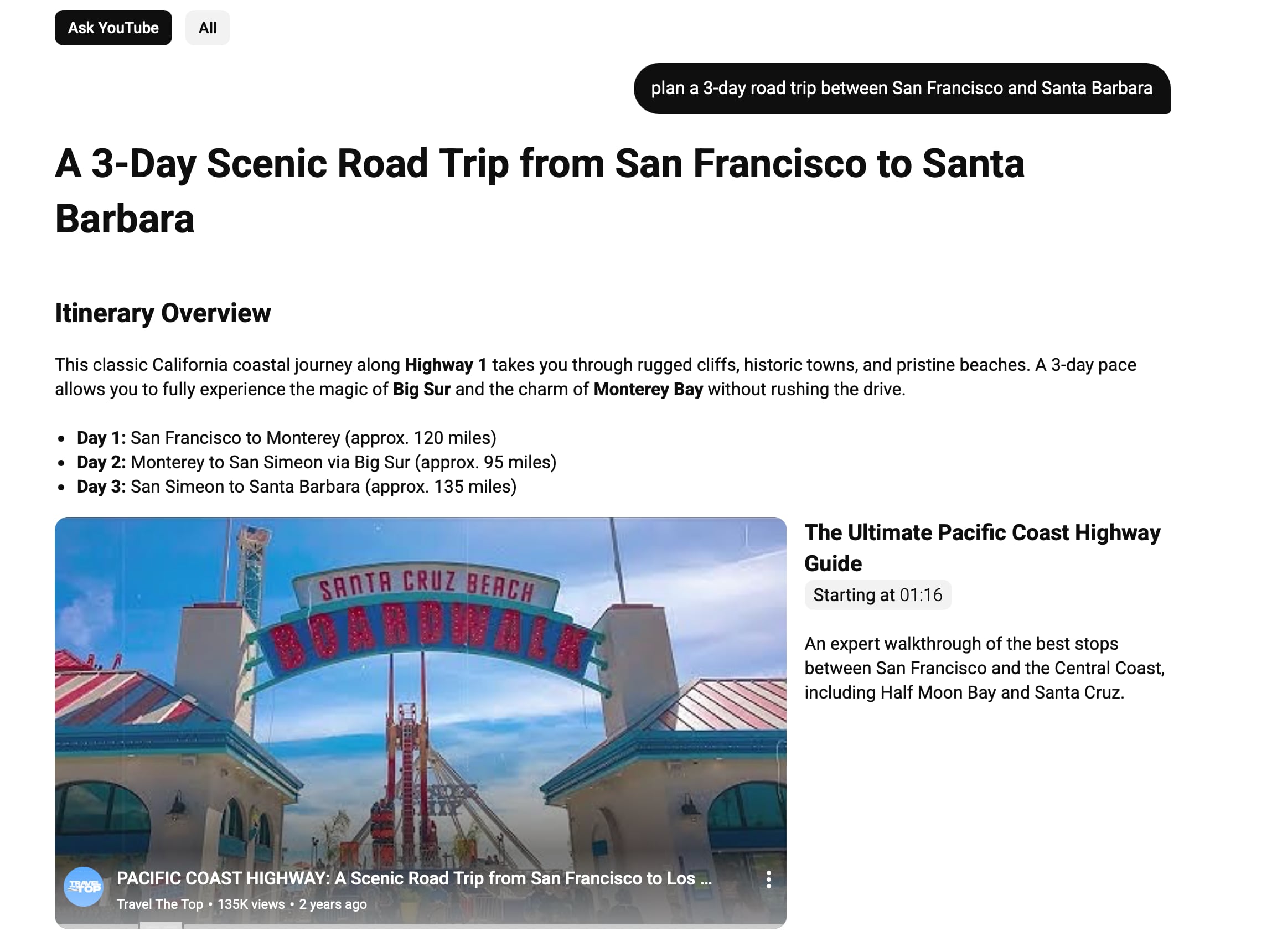
According to YouTube, subscribers who opt in to try the new search can enter a prompt in the search bar, like "plan a 3-day road trip between San Francisco and Santa Barbara," and then select the Ask YouTube option to get the results. Search results include AI summary text, short videos, and long videos, with relevant segments in videos highlighted.
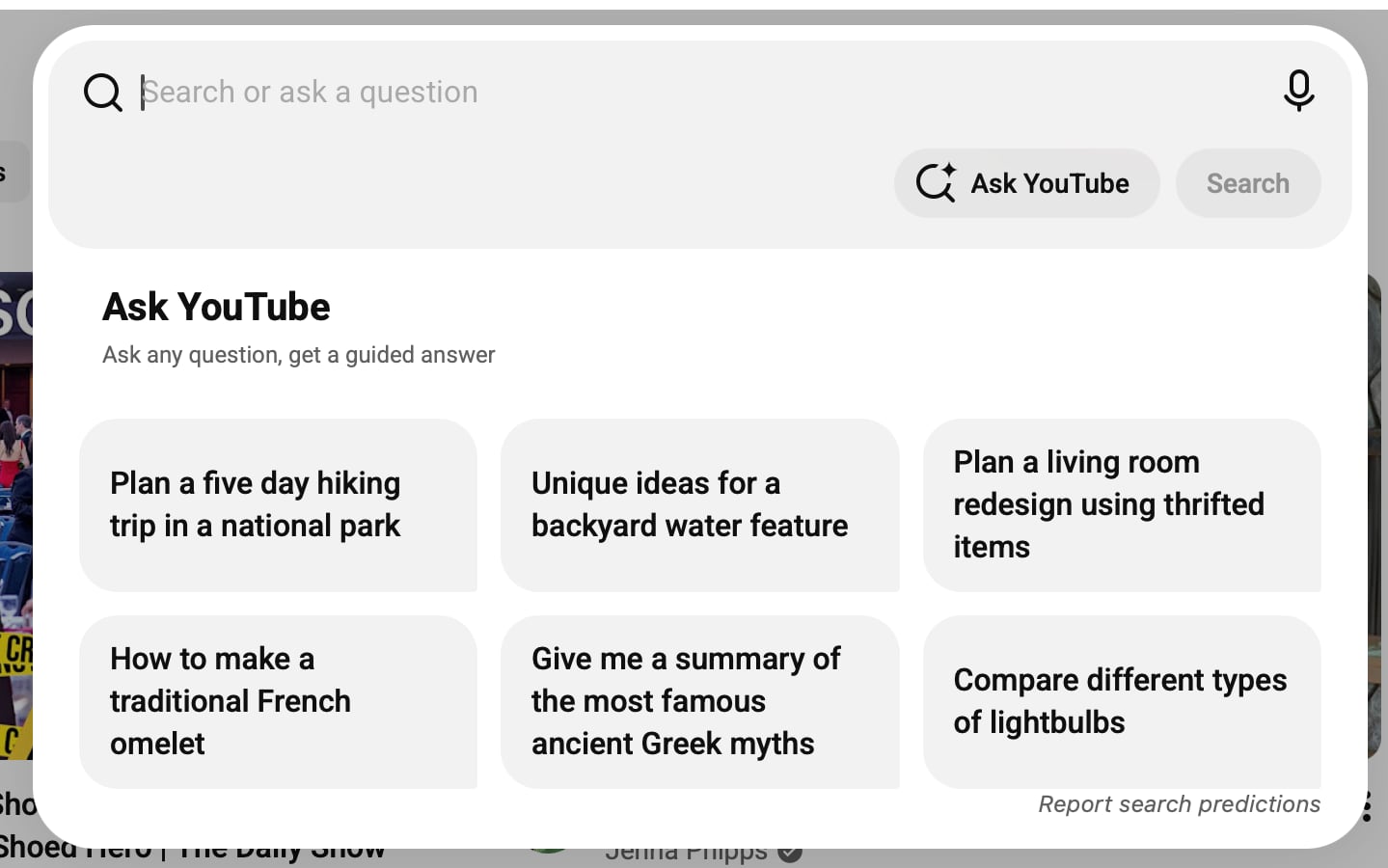
The Ask YouTube search interface suggests some search prompts, such as "unique ideas for a backyard water feature," "plan a living room redesign using thrifted items," and "how to make a traditional French omelet."
Other YouTube Labs features in testing right now include Beyond the Beat AI details when listening to radio and mixes in the YouTube Music app, and VibeCheck, an AI coaching feature that provides tips on Shorts videos before they're published.
The updated search feature will be in testing until June 8.
This article, "YouTube Tests AI-Powered 'Ask YouTube' Conversational Search Feature" first appeared on MacRumors.com
Discuss this article in our forums
The new search option is part of YouTube Labs, an opt-in program that lets YouTube Premium subscribers gain early access to experimental features and prototypes. YouTube Labs is available to U.S. users, and subscribers sign up on the YouTube Labs website.
According to YouTube, subscribers who opt in to try the new search can enter a prompt in the search bar, like "plan a 3-day road trip between San Francisco and Santa Barbara," and then select the Ask YouTube option to get the results. Search results include AI summary text, short videos, and long videos, with relevant segments in videos highlighted.
The Ask YouTube search interface suggests some search prompts, such as "unique ideas for a backyard water feature," "plan a living room redesign using thrifted items," and "how to make a traditional French omelet."
Other YouTube Labs features in testing right now include Beyond the Beat AI details when listening to radio and mixes in the YouTube Music app, and VibeCheck, an AI coaching feature that provides tips on Shorts videos before they're published.
The updated search feature will be in testing until June 8.
This article, "YouTube Tests AI-Powered 'Ask YouTube' Conversational Search Feature" first appeared on MacRumors.com
Discuss this article in our forums
Recommended Comments
Join the conversation
You can post now and register later. If you have an account, sign in now to post with your account.